Compile and Run Redis on Windows with Visual Studio
It’s really easy to compile and run redis on Windows with Visual Studio.
Detailed steps are:
1.Download Redis Source Code
Download the Windows version of Redis from Github:
If you have installed git tools on your computer, open the command line, enter into a directory where you want to put the project and execute the following command:
git clone https://github.com/MSOpenTech/redis --depth=1
You’d better not omit the --depth=1.
If the cloning is successfully completed, you can find a directory named redis that contains the whole redis project. This directory is referred to as redis below.
2. Compile and Run Redis Using Visual Studio
Open Visual Studio. Select File->Open->Project/Solution and open redis\msvs\RedisServer.sln.
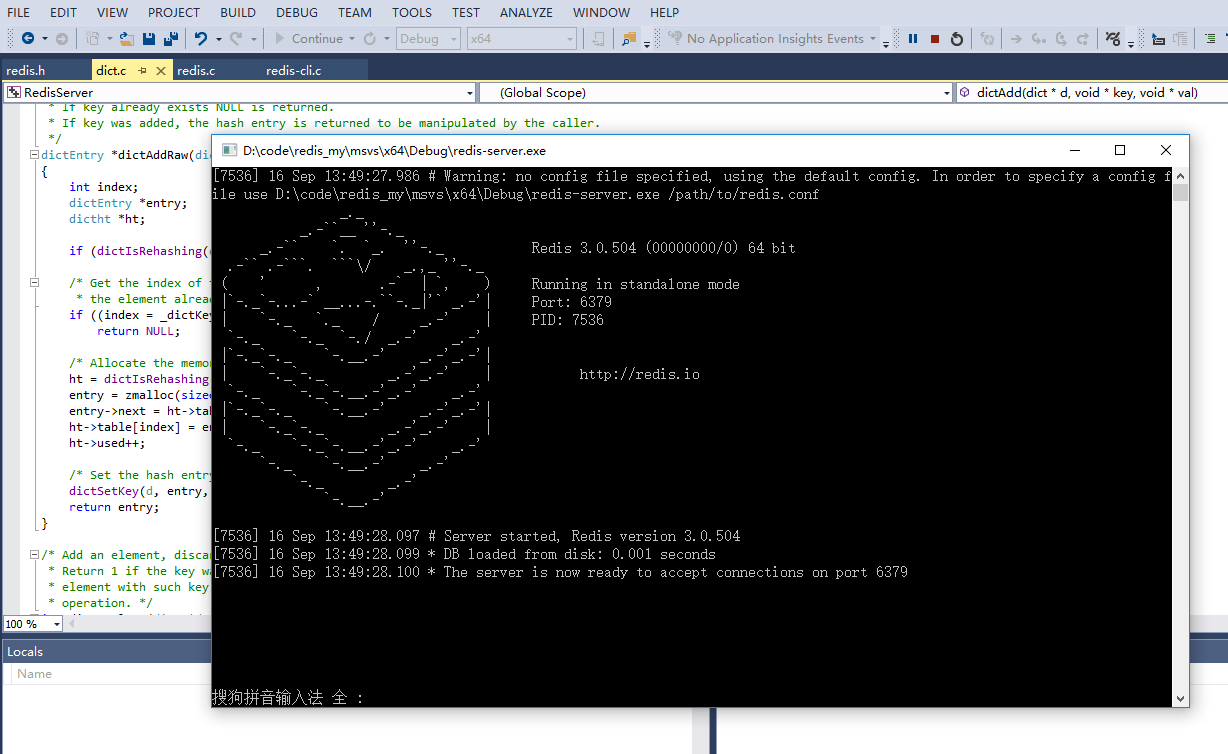
In the Solution Explorer panel, right click the Redis Server project and select Debug->Start new instance. A redis-server will be started as shown in the picture below. The redis-server.exe(redis server) and the redis-cli.exe(redis client) could be found in the redis\msvs\x64\Debug directory.